
Grady County Court Dockets Explained
A docket is a dated list of actions in a case. Each line marks one event, such as a filing, a hearing, an order, or a ruling. Read top to bottom, a Grady County docket shows how a case has moved from the day it opened to its current status. Court staff add a new entry each time something happens. That makes the docket the fastest way to see where a matter stands without pulling the whole file.
A docket is not the same as the full case record. The docket lists the events, while the full file holds the actual papers behind them, like motions, exhibits, written orders, and judgments. In Grady County, the District Court is where most case dockets live. The Court Clerk keeps the official version, and an online docket is a convenient mirror of that office record rather than the certified file itself.
How to Search Grady County Dockets
The Oklahoma State Courts Network, known as OSCN, is the main free tool for District Court dockets. Its docket page lets you pick a county or court and pull a case by number, then read every entry on file. The steps below walk through a basic OSCN docket lookup for a Grady County District Court case.
- Open the OSCN docket search page in any browser.
- Choose Grady County District Court from the county or court dropdown.
- Enter the full case number using the prefix, year, and number format, such as CF-2014-1.
- Submit the search to open the case docket.
- Scroll the dated entries to track filings, hearing settings, orders, and the case disposition.
Note: OSCN docket pages may challenge automated traffic, so use a standard browser and type the case number by hand rather than scripting the lookup.
OSCN Daily Docket Reports
OSCN does more than show one case at a time. For District Courts it builds daily docket reports that group events by judge, case type, or event, which helps when you want the day's calendar rather than a single file. These reports draw from the same court data that feeds the case dockets. The set available for District Courts includes the following.
- Civil Cases with Trial Dispositions
- Daily Docket, All Events, Specific Judge
- Daily Docket, All Events, Specific Case Type
- Daily Docket, Specific Event
- Daily Docket, Specific Event, Specific Judge
- Daily Filings by County
Searching Grady Dockets by Activity Date
On Demand Court Records, or ODCR, is the other public search for Grady County case dockets. It covers participating Oklahoma courts and gives a richer search form than a plain case-number box. You can look up cases by party name, case type, filed date, or activity date, which is handy when you do not have the case number. The ODCR search portal returns an index of matching cases, then opens each one to a docket-level view.
Coverage for Grady County runs back a long way and stays current. The ODCR status page lists Grady with Court Official Mica Hackney, records starting April 29, 1997, and updates processed hourly. Activity-date searching is useful when you want everything that moved on a given day, since it pulls cases by their latest docket action rather than by their original filing.
Courts That Publish Grady County Dockets
Not every court posts dockets in the same place. Grady County District Court dockets show on the statewide systems, while city cases run through a separate municipal portal. The OSCN court structure page lays out where each level fits, from the trial courts up to the appellate courts. You can review that map on the OSCN court structure page.
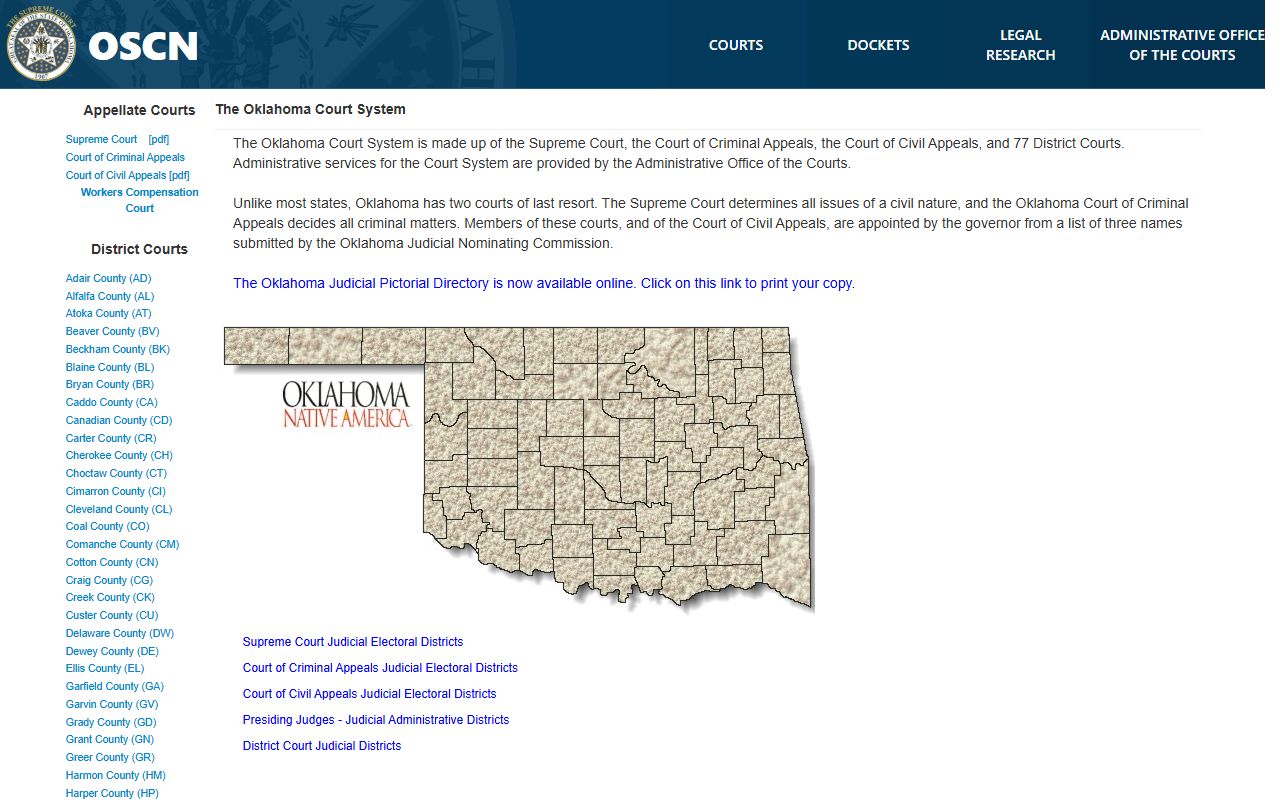
The chart confirms that Oklahoma runs a Supreme Court, a Court of Criminal Appeals, a Court of Civil Appeals, and 77 District Courts. Grady County is one of those District Court locations, and its dockets are the ones most people need.
- Grady County District Court, posted through OSCN and ODCR
- Other Oklahoma District Courts, searchable on OSCN and ODCR
- Chickasha Municipal Court, on its own city portal
- Appellate courts, with dockets carried on OSCN
Sample Grady County Docket Entry
Each docket entry packs several fields into one short line. Once you know what each part means, the entries read quickly. Criminal dockets show steps like arraignment, preliminary hearing, a bench warrant issued or returned, orders, and judgment, while civil and probate dockets show filings, hearing settings, and continuances. OSCN docket reports also list the event date, time, party, docket text, and the court reporter when one is assigned.
| Field | What It Shows |
|---|---|
| Entry Date | The date the court action or filing was recorded. |
| Event Type | The kind of action, such as arraignment, preliminary hearing, order, judgment, or continuance. |
| Party | The plaintiff, defendant, petitioner, or respondent tied to the entry. |
| Docket Text | A short note describing what the judge or clerk did. |
| Reporter | The court reporter listed for a hearing on OSCN docket reports. |
| Document Link | A link to the filed paper when an image is attached. |
Note: a docket line that reads bench warrant issued or return of bench warrant points to a missed appearance, and the matching later entry shows how that warrant was resolved.
Grady Docket vs Full Case File
The docket and the full case file serve different jobs. The docket is the quick index of what happened and when. The full file is the stack of documents that sit behind those entries. For tracking a Grady County case, the online docket is usually enough. For legal review or court use, the full record from the Court Clerk is what counts.
| Docket | Full Case Record | |
|---|---|---|
| Format | List of dated entries | Full filed documents |
| Access | Often online and free | May require a fee or a visit |
| Use | Track case progress | Legal review and certified proof |
Reading Grady County Docket Entries
Docket entries use short legal terms that repeat from case to case. A few common ones cover most of what you will see on a Grady County criminal, civil, or probate docket. The brief glossary below defines the terms that show up most often.
- Docket
- The chronological list of filings, hearings, and court actions in a case.
- Arraignment
- The first criminal appearance, where charges and plea rights are addressed.
- Disposition
- The case outcome, such as a guilty plea, dismissal, deferred sentence, or judgment.
- Continuance
- A postponed hearing or deadline moved to a later date.
- Bench warrant
- A warrant a judge issues, often after a failure to appear or comply.
Civil dockets follow the same idea with their own labels. You will see motions, orders, and a final judgment, plus collection steps like garnishment or a lien when a money judgment is enforced. A criminal case docket and the full charge history behind it live in the Grady County criminal court records, which add the documents the docket only summarizes.
Municipal Dockets in Chickasha
City cases do not appear on the District Court systems. Chickasha Municipal Court handles city-code violations and local citations, and it runs a separate online search and payment portal. Use the Chickasha municipal court portal to look up a city ticket by driver license, name, vehicle, or citation number. Details on pleas, hearings, and the appeal deadline appear on the Chickasha Municipal Court page.
Note: a person found guilty at a Chickasha municipal hearing may appeal to the District Court of Grady County, but the intent to appeal must be filed within 10 days of the hearing.
Paying Grady County Traffic Dockets
When a Grady County traffic docket shows an open balance, OSCN e-payments can settle it online. The tool accepts a case number, a citation number, or a payment-plan number, then walks the user through a plea and payment. Start at the OSCN e-payments search page and enter the number from the citation or docket.
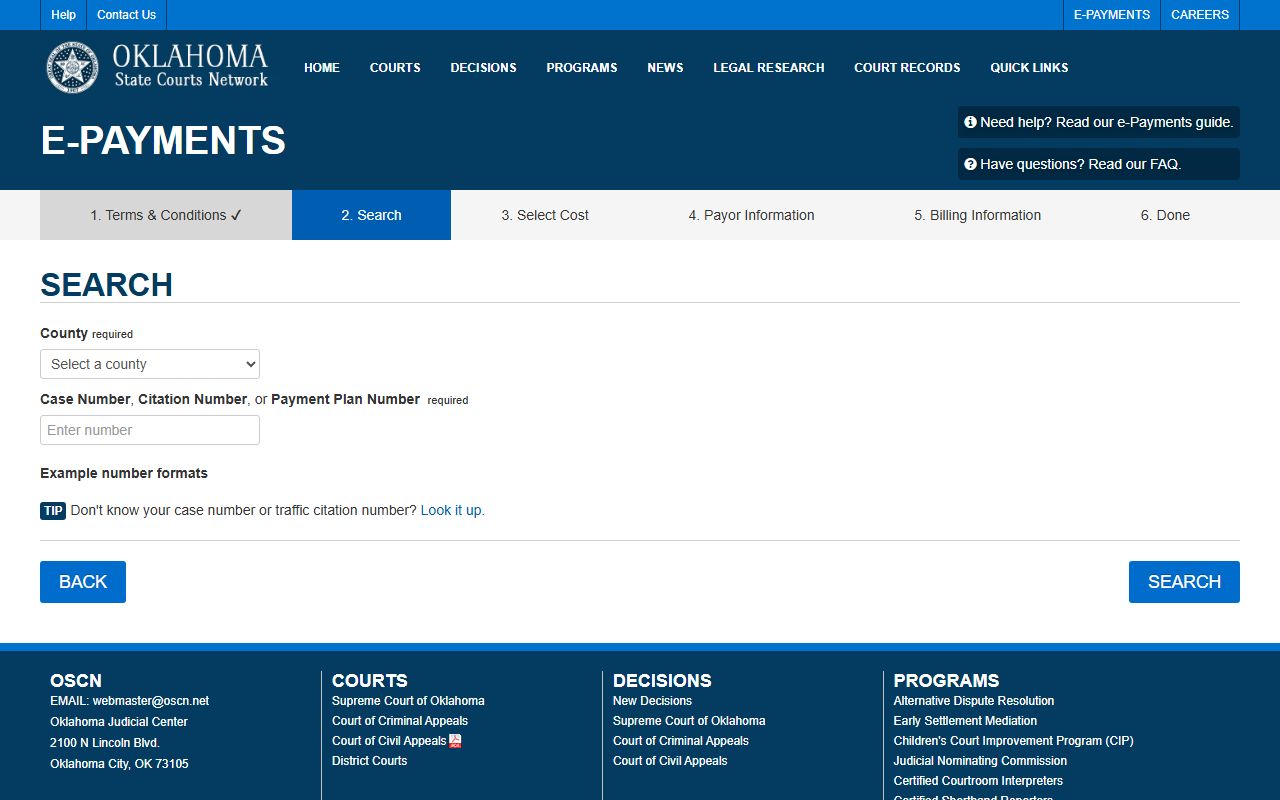
The search box returns the matching case and the amount due. Online payment is not open to every case, so the terms set clear limits before a plea is entered. The conditions below control which traffic dockets qualify.
- Most undisposed traffic, or TR, case types are eligible.
- The user must enter an online plea of guilty or nolo contendere.
- The full amount due must be paid in one transaction.
- The plea and payment must be made on or before the initial appearance date.
- Only one case, citation, or payment plan is handled at a time.
- Cases disposed before January 1, 2005 cannot be paid this way unless a current payment plan exists.
The full eligibility language and the warrant risk for nonpayment are spelled out on the OSCN e-payments terms page.
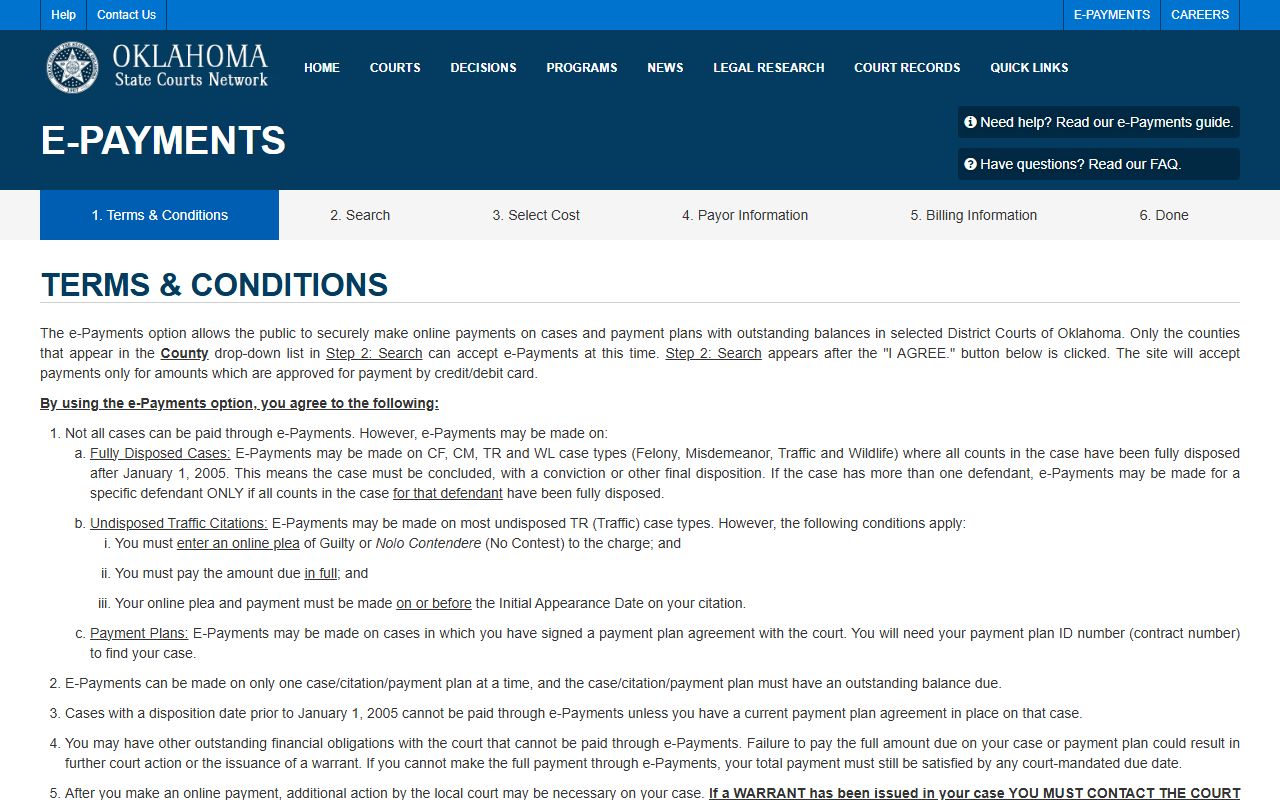
Reading those terms first saves a wasted trip through the form. Traffic dockets that fall outside the rules, including city tickets, are handled through the Court Clerk or the municipal portal instead. The wider picture of citation handling sits in the Grady County traffic court records.
Verifying Official Grady County Settings
Online dockets are a convenience copy, not the certified record. Oklahoma court rules treat the online case search as a public service and rely on the case-management system if the two ever differ. To confirm a hearing setting, request a certified copy, or check a file that is not online, contact the Grady County Court Clerk. The office and its case types are listed on the Grady County Court Clerk page, and the rule on docket reliability is set out in Court of Criminal Appeals Rule 2.6.
Grady County Court Clerk
Mica Hackney
326 West Choctaw
Chickasha, OK 73018
Mailing: P.O. Box 605, Chickasha, OK 73023
Phone: 405-224-7446
Fax: 405-224-0514
Note: the official Grady County docket stays with the Court Clerk, so verify any setting or disposition with that office before relying on an online entry for a court deadline.